
Checkout
See which bills your dividends already pay.
A spreadsheet for Excel and Google Sheets. Enter your holdings and your bills, and it shows which bills are covered and how far you are from the next one.
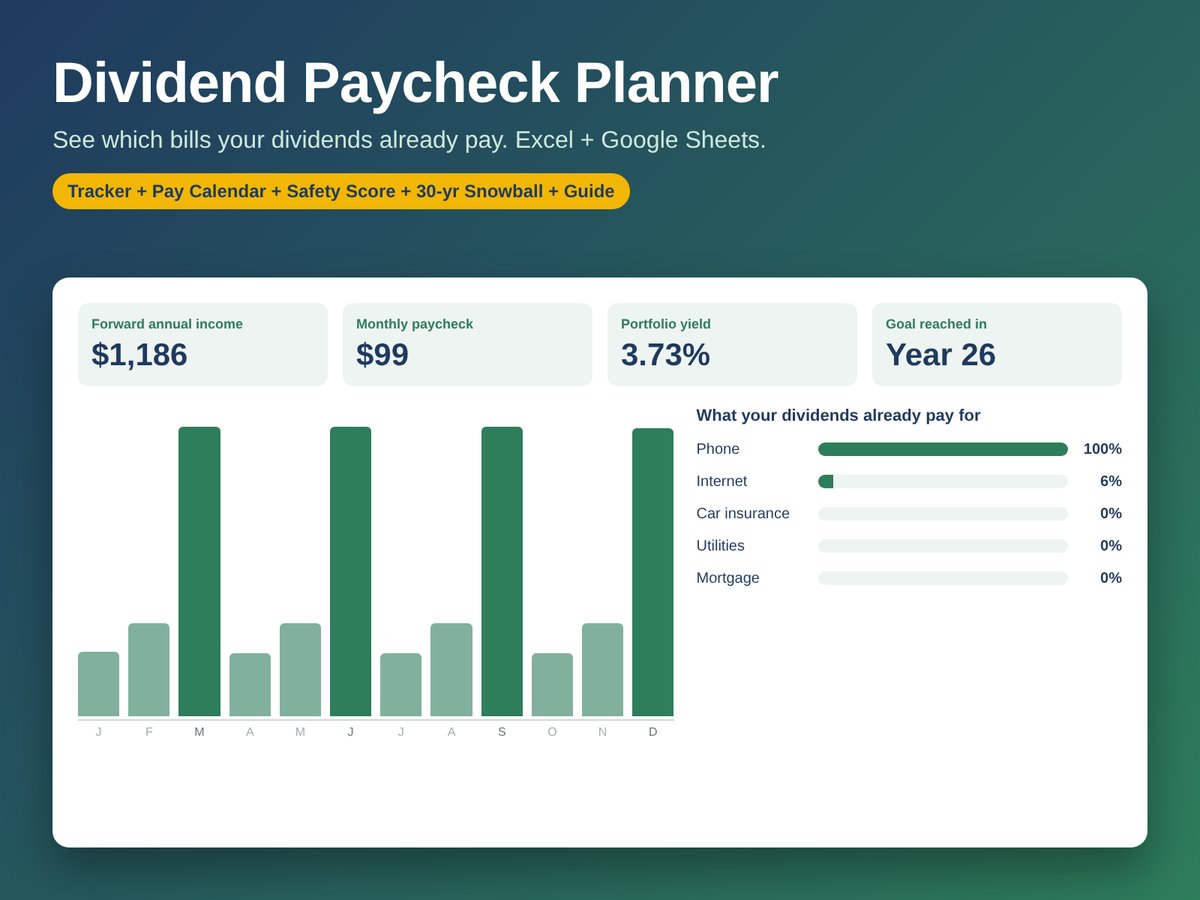
What you get
- Dashboard: monthly paycheck before and after tax, yield, yield on cost and a bills-covered tracker
- Holdings tracker for up to 100 positions across taxable, IRA, Roth, 401(k) and HSA accounts
- Dividend Safety Score that rates every holding Strong, OK or Review
- 12-month Pay Calendar to spot and fill your thin months
- 30-year Snowball showing the year your paycheck reaches your goal
- The Dividend Paycheck Playbook, an 8-page PDF guide
Questions
How do I get the files?
Right after you pay, you land on your download page with a link to a ZIP file containing everything listed here. Bookmark it to download again later.
Do I need Excel?
No. Both spreadsheets open free in Google Sheets (File > Import > Upload) and in Microsoft Excel on desktop or the web.
Is it a subscription?
No. It’s a single payment and you don’t need an account. Your numbers stay in your own copy of the file.
What if a file won’t open?
Reply to your receipt email and we’ll fix it or refund you.
Educational tool, not investment, tax or legal advice.